
Engineering and Agentic AI
ENGENTIC integrates AI to coordinate mathematics, documentation, CAD, and to automate the design of large structures using AI
Create an AccountAsk. Solve. Verify.
The ENGENTIC assistant builds engineering calculations for you, and the solver proves them
Describe
Tell the assistant the problem in plain language, or point it at an existing document.
AI builds
It writes the equations, sliders, datasets and plots as ordinary blocks you can read and edit.
Solver verifies
A deterministic, unit-aware solver does the arithmetic, so every number is checkable.
Assistant
Document
The Problems
General-purpose AI gets engineering math wrong and cannot show its work. Meanwhile mathematics, documentation, and CAD drift out of sync, and small changes force redesigns across large structures
ENGENTIC: The Solution
The ENGENTIC assistant writes the calculation, and a deterministic unit-aware solver does the arithmetic. Everything stays in one platform and syncs with CAD, so changes flow through the whole project and every number is verifiable
What you can ask it
Every answer becomes editable blocks in a document, not a block of chat text
“Size a shaft for 50 N·m of torque with a safety factor of 2”
Mechanical →“Plot the deflection of a cantilever beam for three load cases”
Structural →“Fit a curve to my tensile test dataset and report the yield stress”
Data →“Add a slider for wall thickness and show how mass changes”
Design →“Simulate a bungee jumper and plot velocity against time”
Dynamics →“Check my unit conversions and explain any dimension errors”
Review →What ENGENTIC Does
The platform consists of several modules that can be used to solve a simple problem or manage an entire STEM project

AI Assistant — Describe It, Verify It
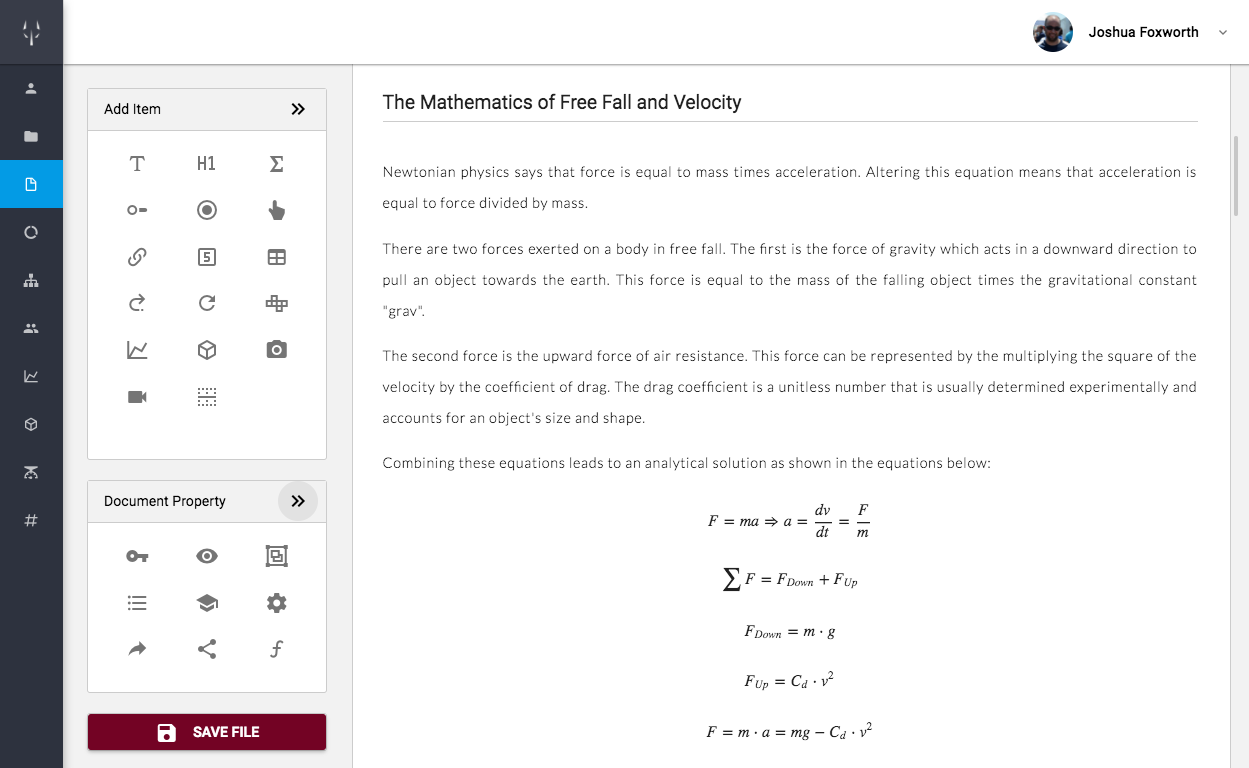
Ask the assistant to build or modify a calculation. It adds real blocks to your document — equations, sliders, plots — and the unit-aware solver computes every result, so you can inspect and trust the work.
Try the AssistantDocuments — Analysis and Documentation
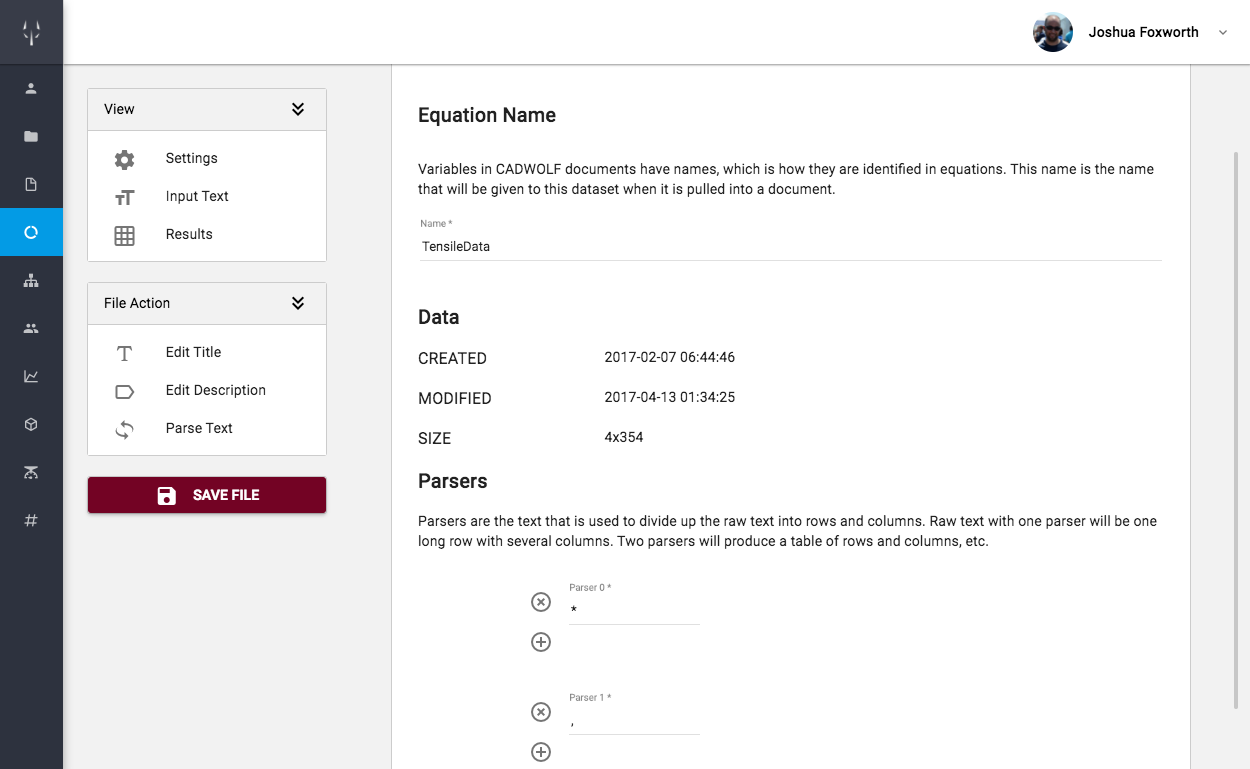
Documents are the backbone of ENGENTIC. They are created and edited through GUIs and can be thought of as a Google Doc that has all the power of a programming language.
More Info on Documents
Workspaces — Create, Store, and Organize Files
Workspaces act as folders in ENGENTIC and provide a place where users can create and locate files, address permissions, and upload images.
More Info on Workspaces
Part Trees — Build Something
Part trees let users establish a part numbering scheme and then build large structures — piece by piece. This provides instant feedback from CAD models and design documents, as well as one place to access all files.
More Info on Part TreesDirect integration with Onshape and Fusion 360
ENGENTIC equations can be sent to Onshape and to Fusion 360 to drive CAD models and those models can be read back into ENGENTIC


More than a replacement
Don't just replace these platforms, expand their capabilities


ENGENTIC is more than a free, online replacement for Word, Excel, Matlab, MathCAD, Mathematica, and Jupyter Notebook. ENGENTIC's link to CAD platforms, its collaborative nature, and its part tree module make it a far better system for students, entrepreneurs, and large project managers.
| Excel | MathCAD | Jupyter | ENGENTIC | |
|---|---|---|---|---|
| AI-Built, Solver-Verified Calculations | ||||
| Mathematics Solver | ||||
| Document Appearance | ||||
| Web Based | ||||
| Free Version | ||||
| Part Tree Organization | ||||
| Process Management | ||||
| Direct Link to CAD |
Try it now for free
ENGENTIC licences are free for students and for those learning the platform.
Start today with your own work or by jumping into group projects.
ENGENTIC Examples and Community
How to get help and work with others
Documentation
Our documentation workspace provides a users guide that walks users through all facets of ENGENTIC.
Homework
The homework workspace provides hundreds of examples in subjects such as physics, statics, dynamics, and mechanics of materials.
Examples
The examples workspace provides a few examples designed to get the user started working with ENGENTIC and using part trees.
Visit our subreddit to ask general questions, address bugs, or suggest an improvement.
Start with our tutorials
Our video tutorials explain what ENGENTIC is and how it works, and how to create and edit documents.
This is where a new user should start learning.
Examples of Documents and other items
View screen captures or open samples of ENGENTIC items