
Five components that work together to provide a complete STEM solution and management platform.
CadWolf uses five components to provide a complete STEM solution and management platform
Our components link the design and coordination of large structures directly to CAD models
CadWolf has five main types of web pages — Documents, Workspaces, Datasets, and Part Trees. These components work in concert to provide a platform that encompasses all facets of the engineering process.
Documents are where users create web pages that have text, equations, plots, and many other things. Workspaces act as folders. Datasets provide a method for users to import data, and part trees link everything together for a new level of functionality.
CadWolf documents have a wide array of features
Equations in documents track units like meters, seconds, etc, and solve accordingly
Line, spline, bar, column, heat maps, and several other charts available
3D point clouds, surface maps, and line charts are also available
Wide range of built‑in functions like trig, statistical tools, an FFT, and an ODE solver
When an equation solves, it shows in the proper mathematical format with integration symbols, etc
Documents can be set so that users can read, use, or edit them
Add for loops, while loops, and if/else statements alongside equations
Documents can be pulled into other documents and used as functions
Create teams, add users to them, and then give permissions to those teams
Use sliders, select boxes, and radio boxes as variables in CadWolf documents
Push data to Onshape documents to drive component design
Pull in data such as mass and volume from Onshape documents to be used in CadWolf documents
How the CadWolf modules integrate to form a complete system
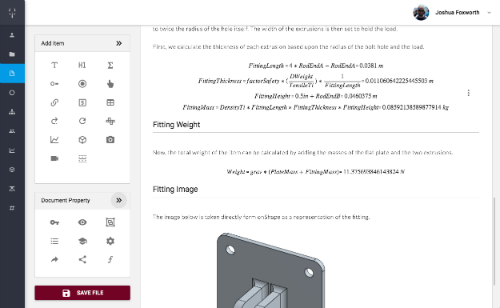
CadWolf documents are spaces for users to solve and document the mathematics of designing components. In the document pictured here, the height and thickness of the vertical risers in the fitting are designed based upon the design load and tensile strength of the material. The diameter of the bolt is also established.
When a requirement or design factor such as the load changes, the math automatically updates. These CadWolf equations are then automatically sent from this document to an Onshape document or Fusion 360 file.
Create your free account in under a minute. No credit card required.
Create Free Account